Breathing and meditation
Mitovo has guided breathing, a meditation timer and a test that finds your own breathing rate. This page shows how to start a session, what you can set, and what happens when you save it.
Updated:
1. Start a session
- On Today, tap Breathe or Meditate under Start a session.
- If your coach planned a breathing session or a meditation, it’s under To do on Today: open it and tap Start. It opens with the planned method and length.
- On the Mac: File › Start a Session › Breathe or Meditate.
Breathe lists the methods. Each one says how it’s paced:
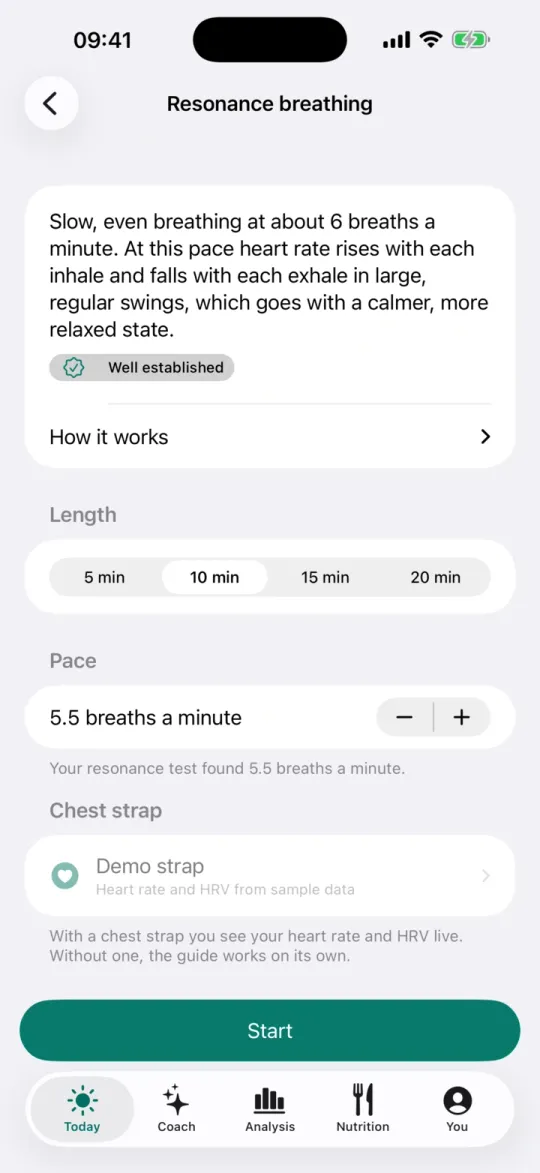
- Resonance breathing: 6 breaths a minute, or the rate your test found.
- Cyclic sighing: a breath in, a short second breath in on top, then a long breath out.
- Box breathing: in, hold, out, hold, 4 seconds each.
- Long exhale: 4 seconds in, 8 out.
- Fast breathing with breath holds: 3 rounds of 30 breaths, each followed by a hold.
- Find your resonance rate: a 10-minute test of 5 breathing rates. It needs a chest strap.
Meditate goes straight to the meditation timer.
2. Set it up
Tap a method. Its page explains it under How it works, then:
- Pick the Length (where the method has more than one).
- For resonance breathing, set the Pace.
- Under Cues, turn Vibration and Sounds on or off. For meditation, set the Bells instead: a bell at the start and end, and one in between if you like.
- Under Music, turn on Play music and pick a Track if you’d like music.
- Tap Start.
Mitovo remembers your cues, bells and music for next time. A chest strap paired under You › Connections › Sensors adds your heart rate and HRV; on the iPhone, Mitovo also opens on your Apple Watch and shows your heart rate there.
Fast breathing with breath holds has a Safety section: read it, and turn on the confirmation before Start works. Do it only sitting or lying down, never in or near water, while driving, standing or walking. If your health check reported something it rules out, the method says Not for you at the moment and can’t be started.
3. During the session
After a 3-second countdown, a circle grows and shrinks with your breath and says Breathe in, Hold or Breathe out (cyclic sighing also In again); meditation shows the time remaining. With a strap or your Watch, you see your heart rate as you go.
There’s no pause. End early (End in fast breathing) stops the session; after 30 seconds Mitovo asks first.
4. Save it
At the end you see the length and, if measured, your heart rate at the start and end (with a chest strap also your HRV). After Find your resonance rate, you see your rate if the test could pick one; once you save, resonance breathing starts at that rate.
Tap Save, or Discard to drop it. Sessions under 30 seconds can’t be saved.
Saved sessions go into Apple Health as mindful minutes (on the iPhone), and a planned session is marked done. The HRV from a session doesn’t change your recovery score: that’s measured overnight (recovery and sleep).
Offline: sessions work without a connection once Mitovo has loaded the methods, and are sent when you’re back online.
Questions
Where do I see my past breathing sessions?
Mitovo saves them in Apple Health as mindful minutes, and a planned session is marked done. The app itself has no list of past breathing sessions or meditations.